StreamElements Alternative
Twitch Kick // Coming Soon YouTube // Coming Soon
Stream alerts
that just work.
Animated stream overlays, a multi-platform chat bot, and loyalty points — running entirely on your PC. OBS connects directly to your machine. No cloud dependency, ever.
Cancel anytime. Windows 10 / 11 required.
Features
Everything you need to run your stream.
The StreamElements alternative built for streamers who need reliability. No free-tier trap, no ads, no cloud lock-in — one flat price, one product that works.
MOD-01
Alert Overlays
Animated alerts for follows, subs, bits, gift subs, raids, and donations. Drag-and-drop builder with live preview. Per-event templates with custom animations.
MOD-02
Chat Bot
Custom commands with cooldowns and permission levels. Recurring timer messages. Works across Twitch, Kick, and YouTube. Built-in
!commands and !so shortcuts. No third-party bot required.MOD-03
Loyalty Points
Your own custom points currency — name it anything, set the earn rate, and let viewers redeem rewards by typing
!redeem in chat. Leaderboard, manual adjustments, and !points balance checks included. Completely separate from Twitch channel points — you own the data.MOD-04
Overlay Widgets
Five live-updating OBS browser source widgets: live chat overlay, scrolling event feed, follower/subscriber goal bar, song request display, and viewer leaderboard. Each is fully customisable — font, color, opacity, and message limits.
MOD-05
Twitch Polls
Launch Twitch polls directly from the app without switching to the dashboard. Set duration, optional channel-points-per-vote cost, and watch live results update in real time. Full poll history with favorites and one-click reuse.
MOD-06
Chat Assistant
A floating pop-out window that shows your live chat and stream events side-by-side during your broadcast. Filter events by type, watch for raids and subs without alt-tabbing, and keep your producer view clean while OBS stays focused.
MOD-07
Alert Builder
Visual drag-and-drop editor at full 1920×1080 resolution. Stack text, image, video, and audio layers. Resize handles, snap-to-guide, and live preview. Every event type gets its own custom template.
MOD-08
No Cloud
Alerts fire from your PC directly to OBS. If our servers go down, your stream never misses a beat. Offline grace period keeps your subscription active for 7 days.
App Preview
See the app in action.
Every tool you need, built into one desktop app. No browser tabs, no third-party dashboards.
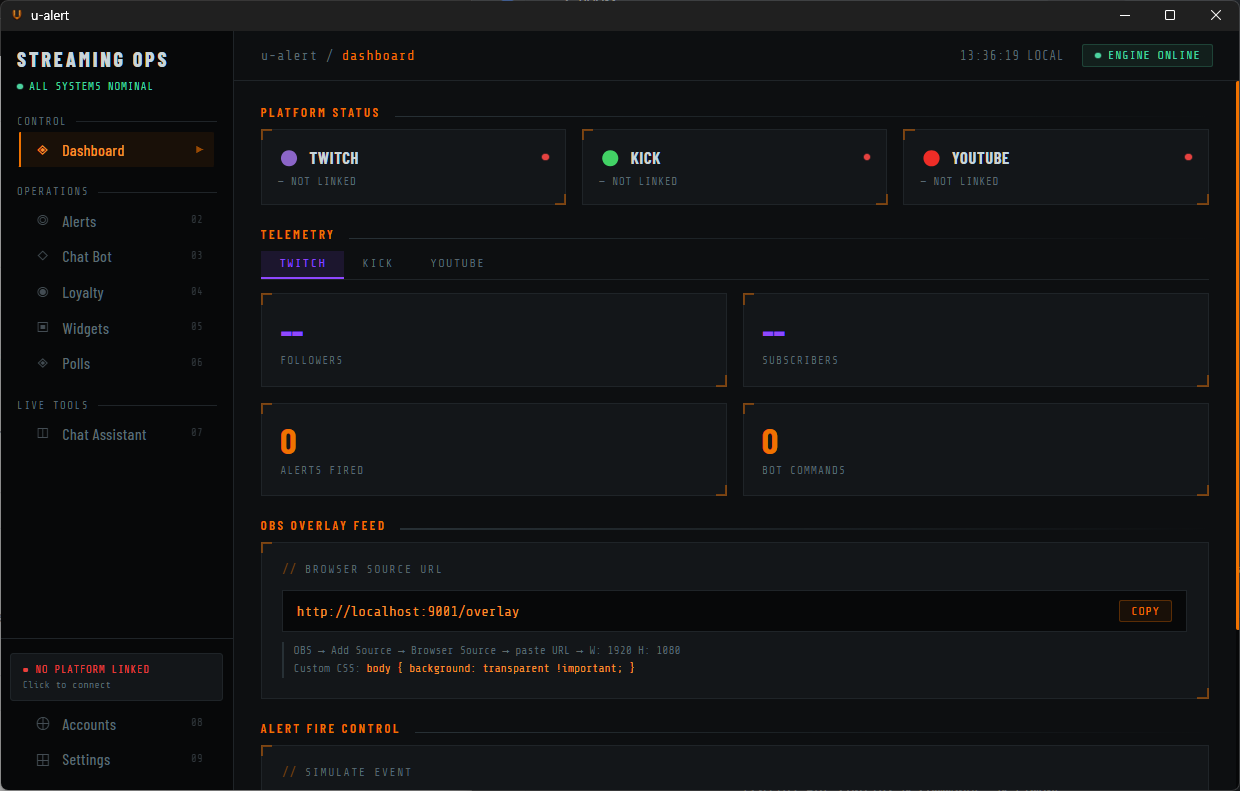
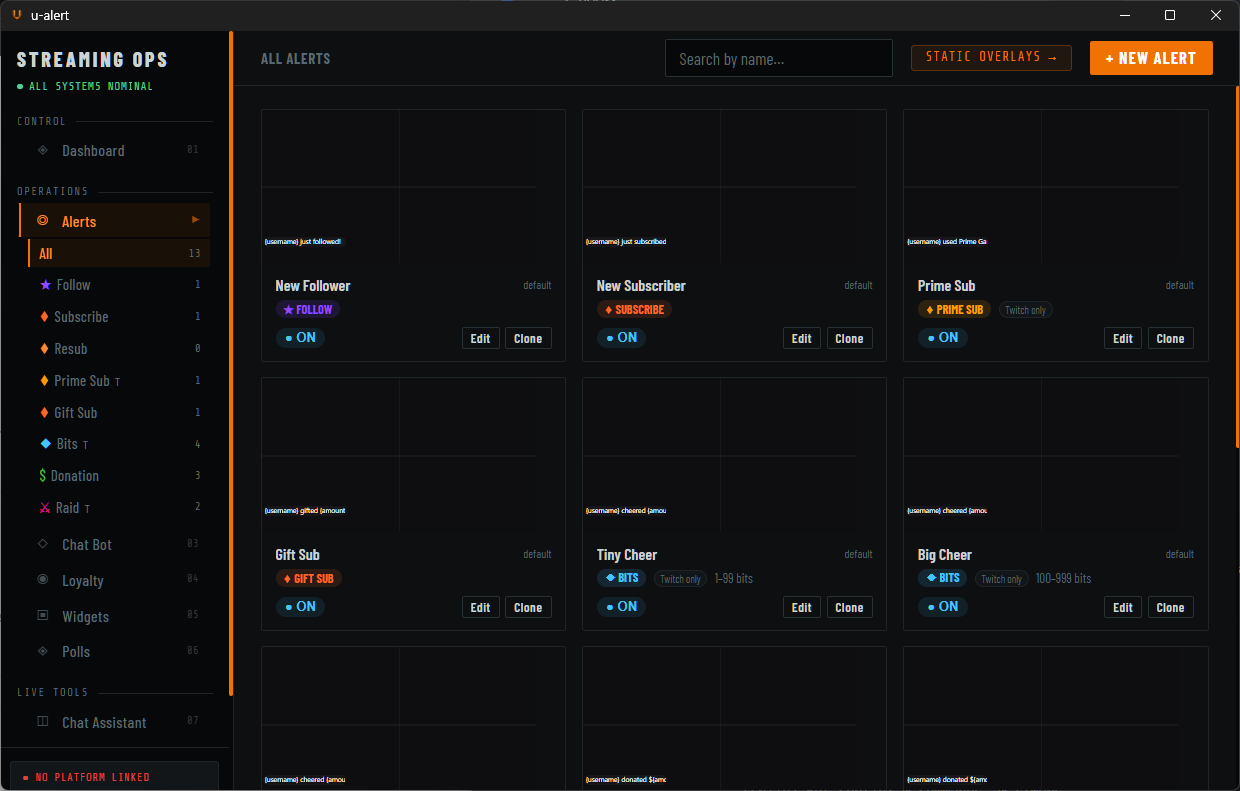
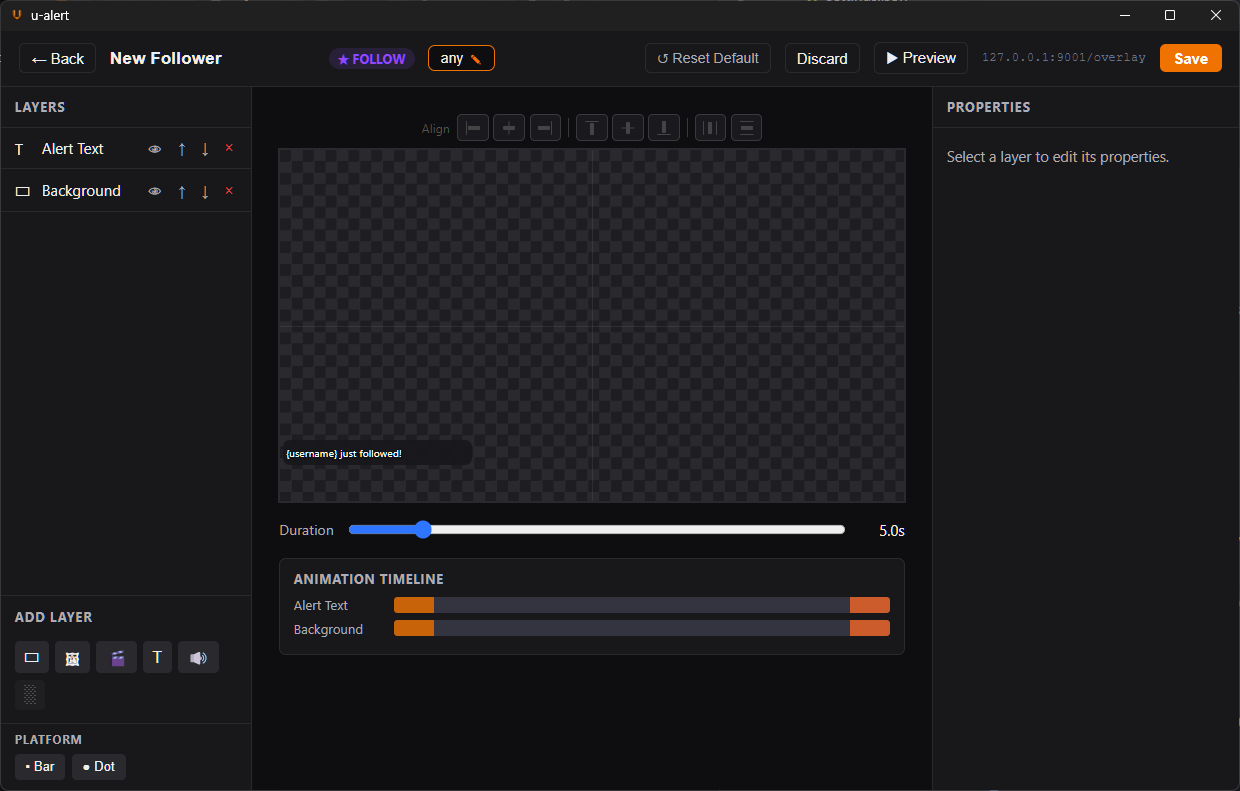
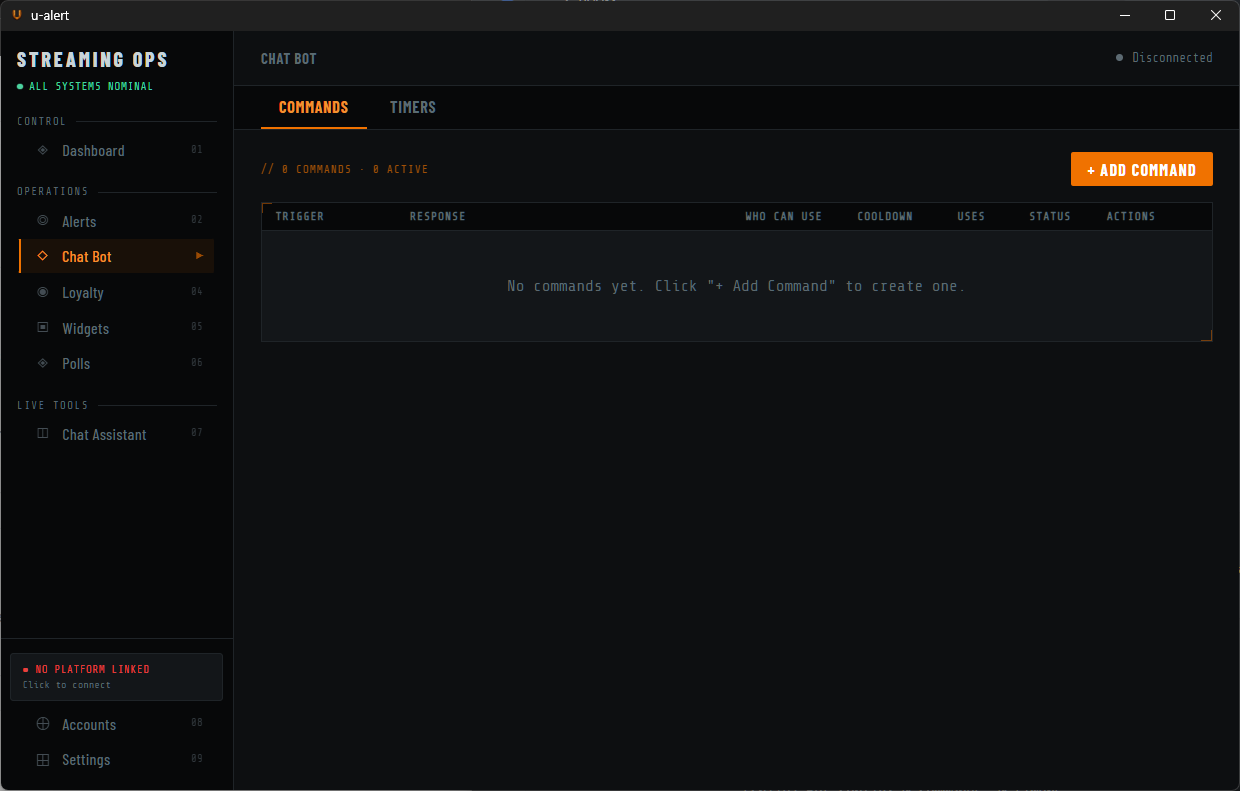
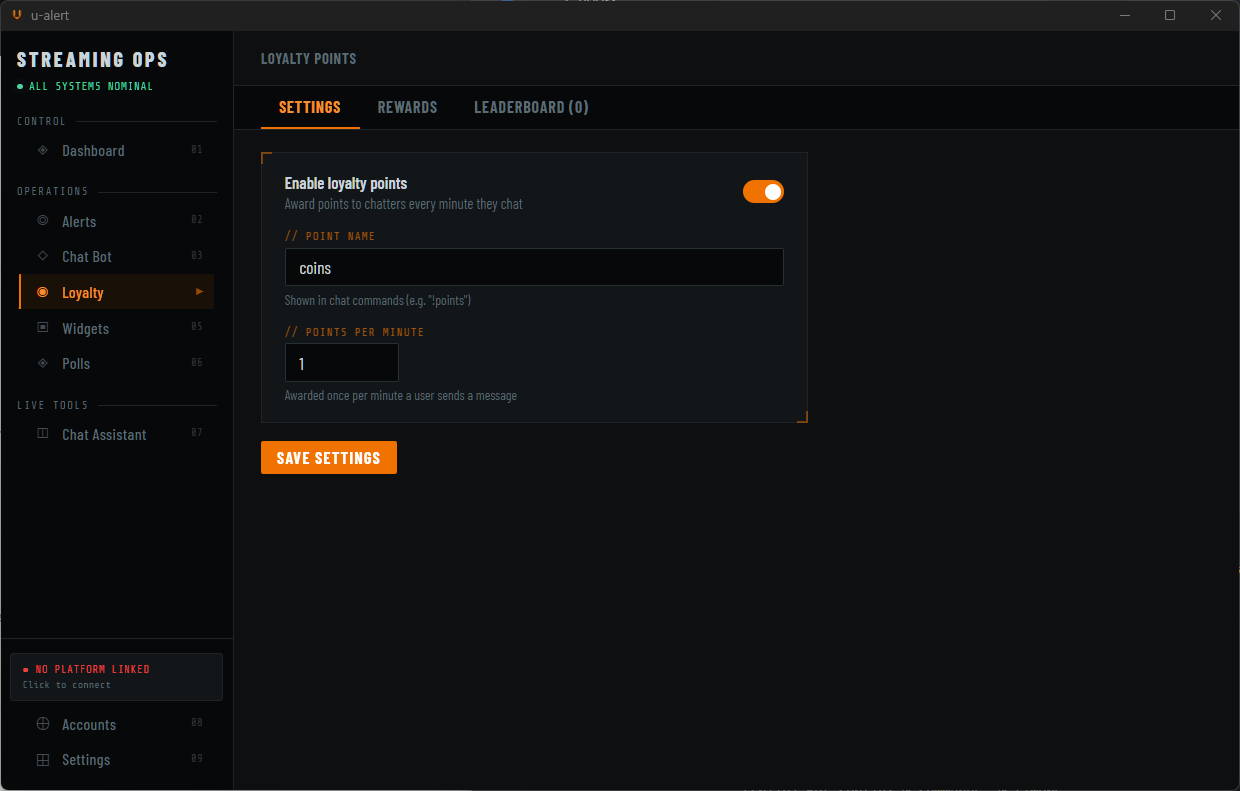
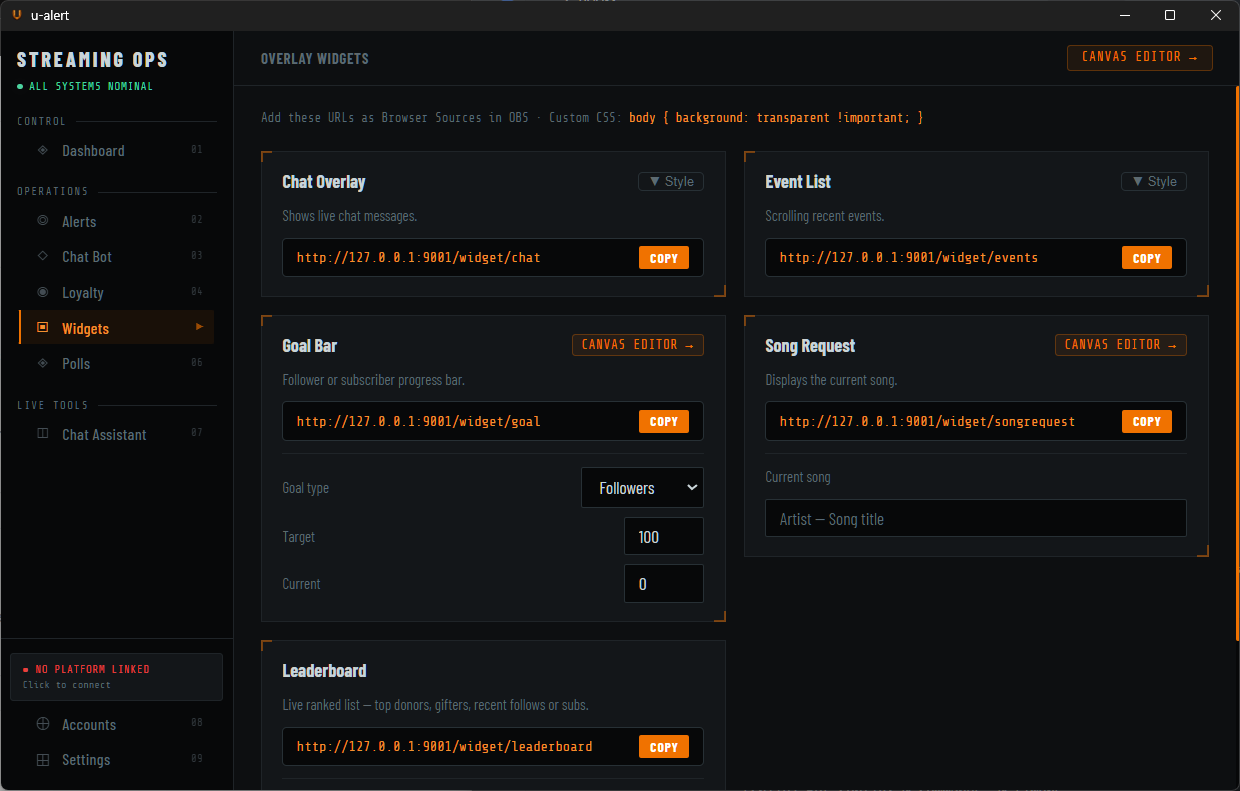
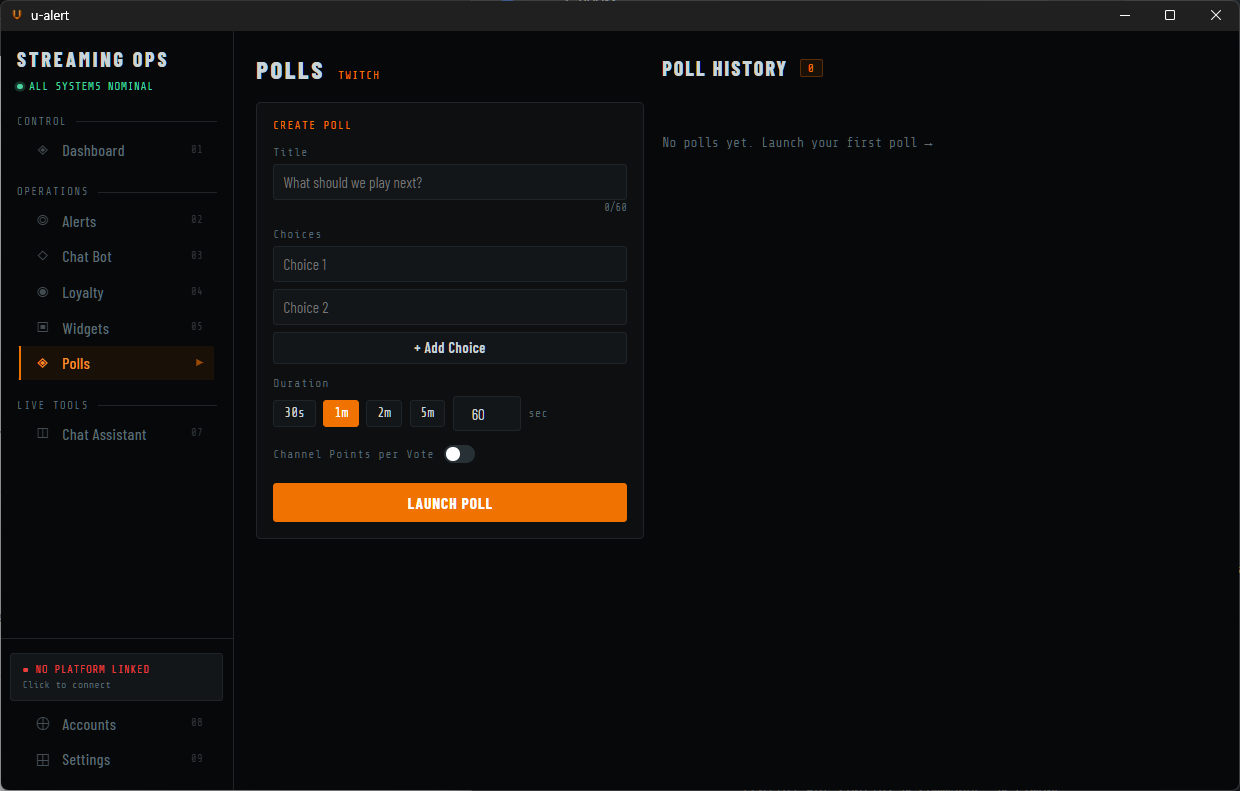
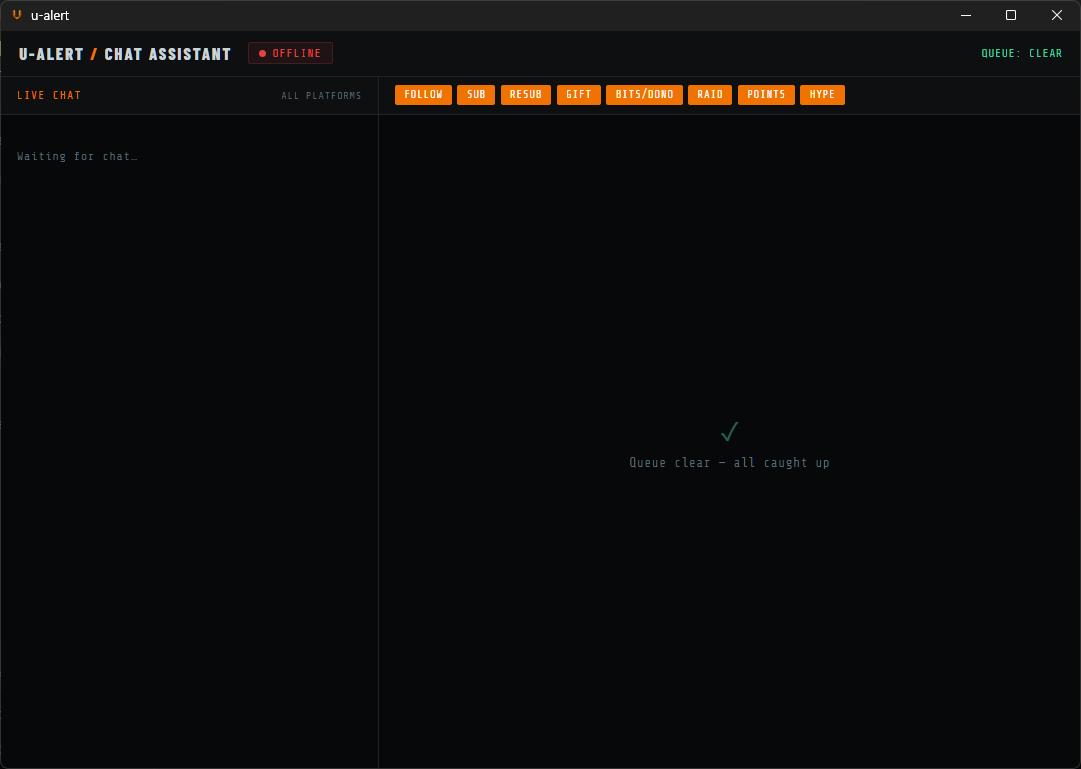
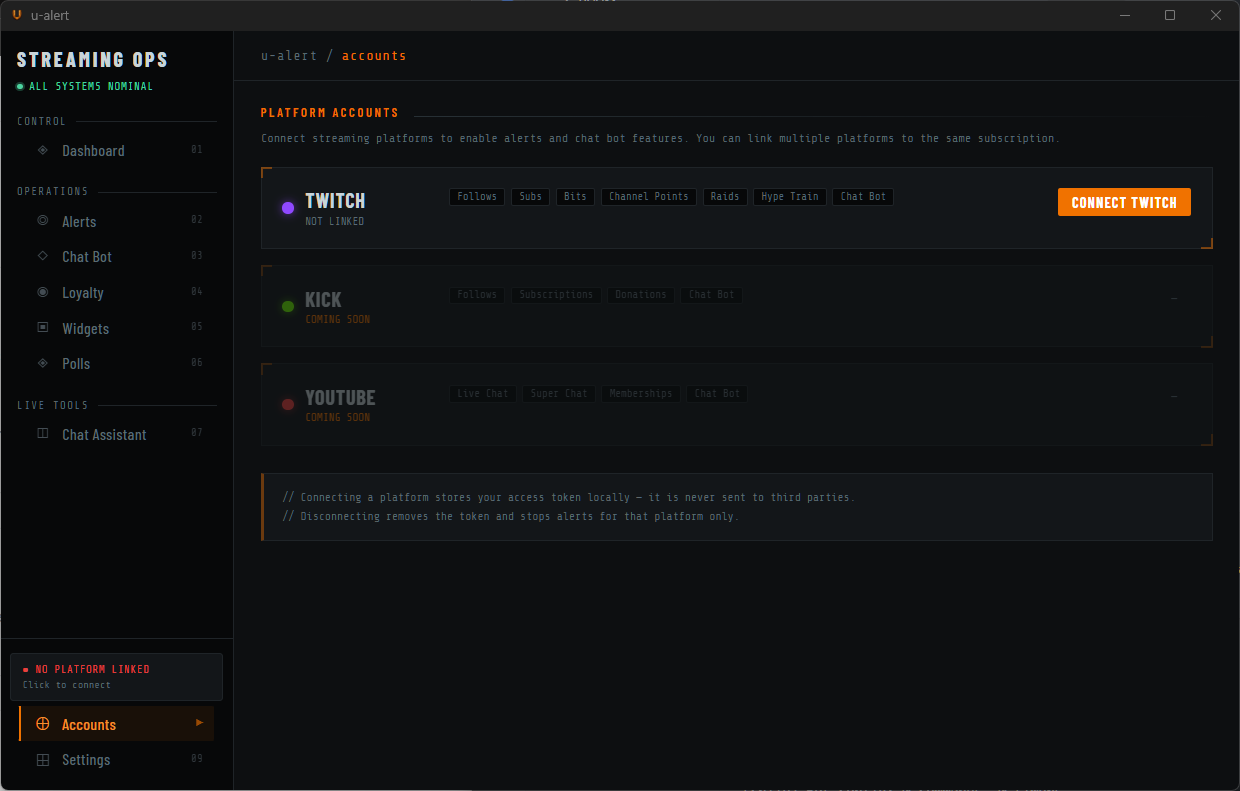
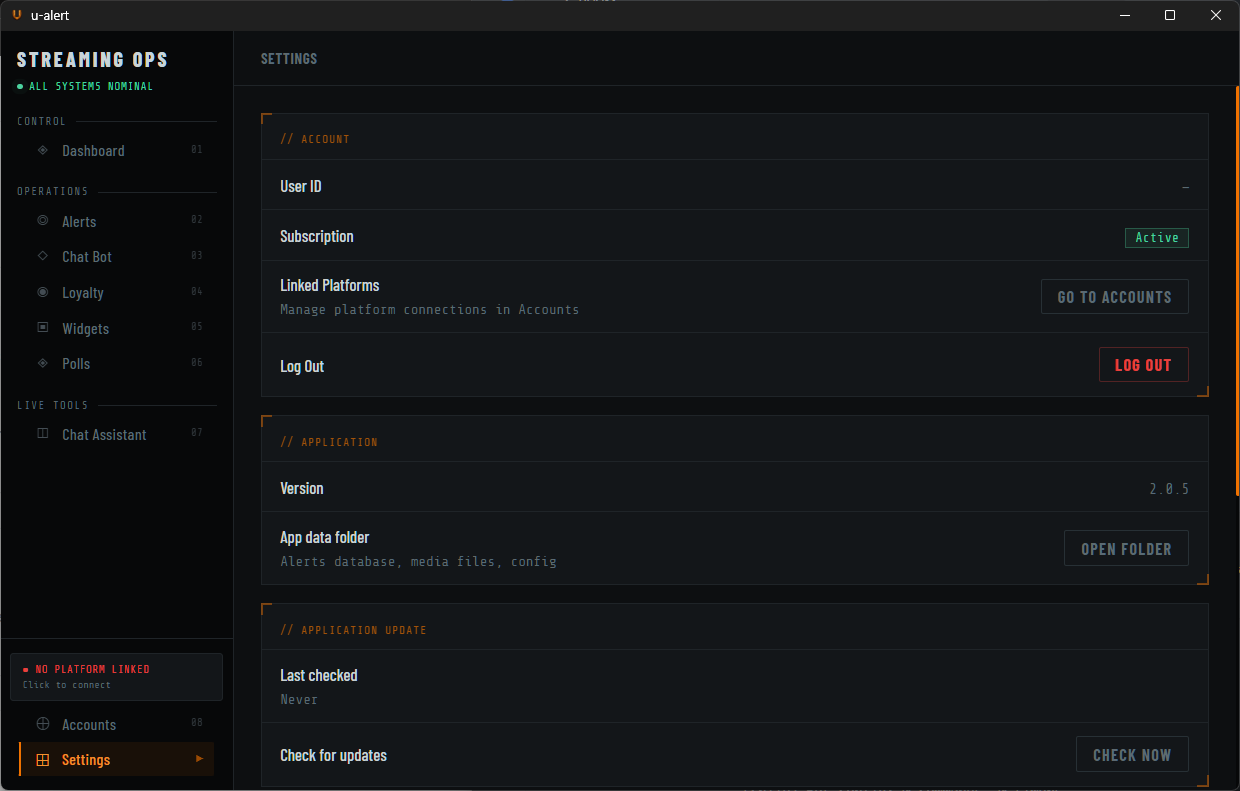
Real-time stream status, platform connections, and quick actions — all in one view.
Live Preview
See what your stream looks like.
Supports custom images, videos, and sounds. Build your own layers with full control over animations, fonts, and position.
// LIVE PREVIEW
Setup in minutes
How it works.
From zero to live alerts in four steps.
STEP 01
Create your account
Register with your email address. Verify your inbox, agree to the license, and you're in — no platform login required.
STEP 02
Start your free 7-day trial
One plan, everything included. Card required — then $7.99/mo after the trial. Cancel anytime from the billing portal.
STEP 03
Download & Install
Download the Windows app, run the installer, and log in. Connect your streaming platform — Twitch, Kick, or YouTube — inside the app.
STEP 04
Add to OBS
Add a Browser Source in OBS pointing to
http://localhost:9001/overlay. That's it — alerts go live.Pricing
One plan. Everything included.
No tiers. No feature gating. No ads.
Streamer Plan
$7.99
7 days free · then $7.99/month · cancel anytime
- [OK] Animated alert overlays (6 event types)
- [OK] Drag-and-drop alert builder
- [OK] Chat bot — commands, timers, cooldowns
- [OK] Loyalty points +
!redeemrewards system - [OK] Twitch polls with live results
- [OK] Chat assistant pop-out window
- [OK] 5 customisable overlay widgets for OBS
- [OK] Runs 100% on your PC
- [OK] 7-day offline grace period
- [OK] Windows 10 / 11
Card required. Cancel anytime from the billing portal.